Proware module FlowCreator
Om het toepassingsgebied verder te vergroten, kent het digitale managementsysteem Proware een aantal uitbreidingsmodules: Proware+. Het zijn de onderdelen binnen het totaal-concept.
De modules zijn afzonderlijk te activeren, zoals deze module FlowCreator.

Liever visueel, dan tekstueel
Veel gebruikers zien hun processen liever in schema's dan in lange teksten. Veel beheerders willen daarbij schema's die goed onderhoudbaar zijn en gebruik maken van de aanwezige informatie. Deze Proware+ module voorziet hierin: innovatief en simpel.
Samenhang: horizontaal - vertikaal
Veel traditionele schema's staan op zichzelf. Door gebruik te maken van de structuur van het managementsysteem en de schema’s met elkaar te koppelen, ontstaat een logische samenhang:
- vertikaal: organisatieoverzicht / proceslandschap -> proces -> procedure -> instructie -> bijlage
- horizontaal: proces -> gerelateerde processen, procedure -> gerelateerde procedures
Aan elk bouwelement in de schema’s is een link of ander actie te koppelen. Directe verwijzing naar online workflow formulieren is bijvoorbeeld ook mogelijk.
Overzichtelijk en toch details
Om een uitgebreide schema overzichtelijk te houden, kan het gelaagd worden opgebouwd. Meer details nodig, activeer een extra laag. Zo kan worden ingezoomd op details zonder het overzicht te verliezen.
Templates – sjablonen
Veel organisaties hebben vaste layout structuren. Of het nu ‘swimming lanes’ of combinaties stroomschema – uitleg zijn. Deze zijn eenmalig vast te leggen, wat de onderhoudslast verder vermindert.
Kennisbank
De FlowCreator is een interessante aanvulling op het doorontwikkelen van een managementsysteem tot een kennisbank. Schema's kunnen als beslisbomen worden opgenomen om sneller bij de gewenste informatie te komen. Op basis van de plek in het stroomschema kunnen documenten als zoekresultaten worden getoond.
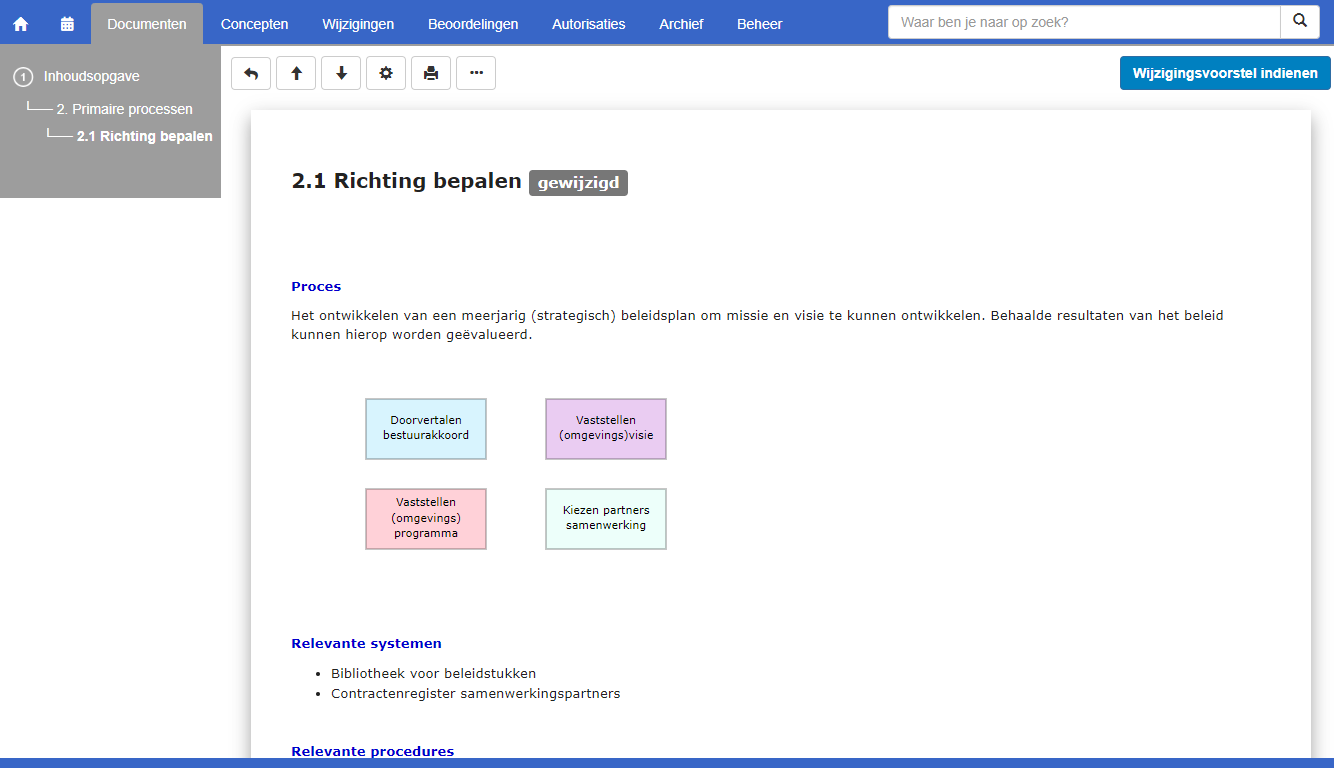
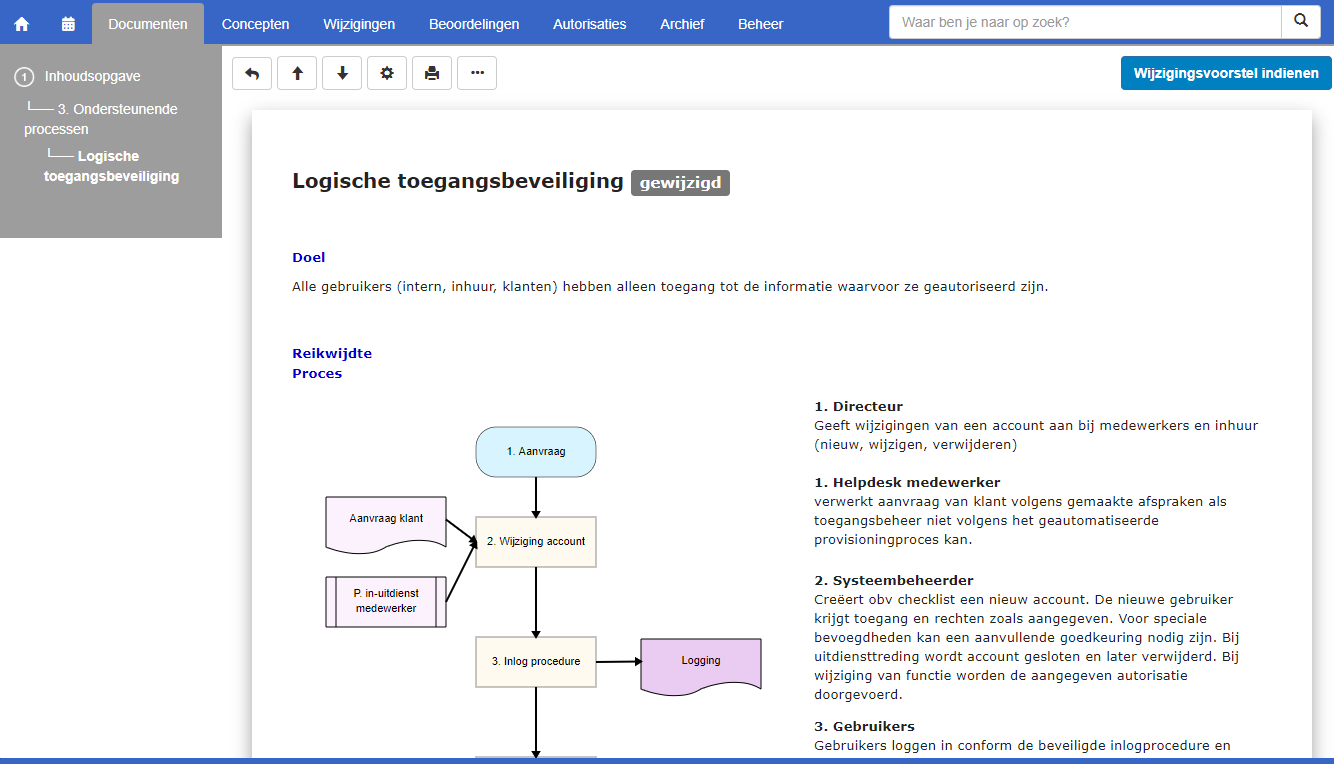
Proware+ FlowCreator in steekwoorden
- volledig geïntegreerde schemabouwer (FlowCreator)
- gebruikt aanwezige metadata als procesnamen, functienamen of andere labels
- bouwelement direct koppelbaar aan bijlage, documentenoverzicht, document of url
- eenvoudig te integreren in de startpagina's en documenten
- te gebruiken als beslisbomen in een kennisbank
- makkelijk te bewerken of aan te vullen
- 'internet-voorbeelden' eenvoudig te integreren
- bouwelementen kunnen uit meerdere lagen bestaan
- direct te koppelen met online workflow formulieren
- huisstijlkenmerken of afbeeldingen zijn aan bouwelementen toe te voegen
Proefsysteem of live web demo
Natuurlijk kan je de Proware module FlowCreator direct uitproberen. Of via schermdeling kunnen we je een demonstratie geven van deze Proware+ module. Je krijgt dan een goed beeld van de werking van Proware+ voor je kwaliteitsmanagement en je vragen kunnen direct beantwoord worden. Heb je interesse in een online demo, maak dan gebruik van het contactformulier. Wij kunnen je dan direct een live demo geven of een afspraak maken.